Terminal mirror - minimal (standalone)
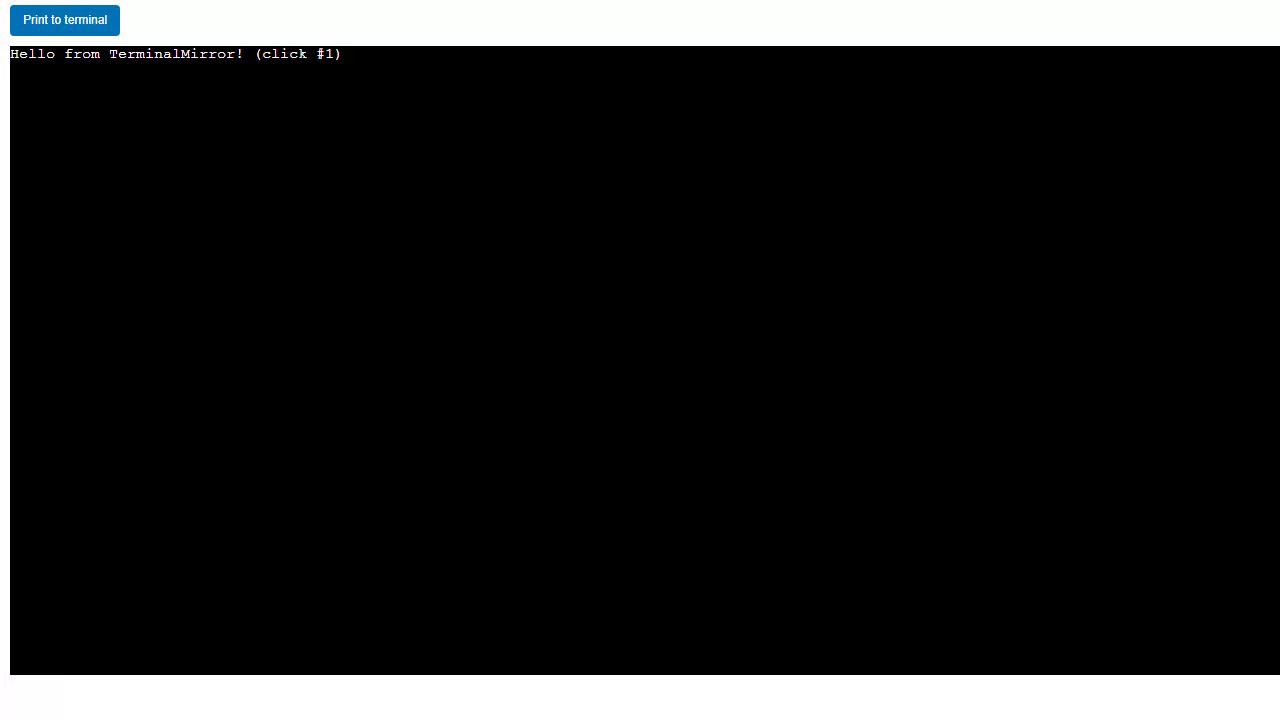
Source: examples/panels/terminalmirror/terminalmirror_panel_min.py
Test: tests/panels/terminalmirror/examples/test_terminalmirror_panel_min.py
A self-contained App that hosts a TerminalMirror without the Panelini shell. A Panel Print to terminal button prints to sys.stdout, and the text appears both in the on-screen terminal widget and on the real console.
Redirection is lazy: the panel is built with mirror=False, so importing the module has no side effect on sys.stdout. The first button click calls start() (idempotent) and only then begins mirroring.
The code
import panel as pn

from panelini.panels.terminalmirror import TerminalMirror


class App(pn.viewable.Viewer):
    def __init__(self, **params):
        super().__init__(**params)

        self.terminal = TerminalMirror(mirror=False)

        self._count = 0
        self.print_btn = pn.widgets.Button(css_classes=["print_btn"], name="Print to terminal", button_type="primary")
        pn.bind(self.on_print, self.print_btn, watch=True)

        self._view = pn.Column(
            self.print_btn,
            self.terminal,
            sizing_mode="stretch_both",
        )

    def on_print(self, event):
        self.terminal.start()
        self._count += 1
        print(f"Hello from TerminalMirror! (click #{self._count})")

    def __panel__(self):
        return self._view
Run it live
This example runs entirely in your browser via Pyodide. In the browser the terminal renders an on-screen console mirror (xterm.js is not available in WASM). The first load downloads packages, so give it a few seconds.