GraphDetailTool file-drop workspace
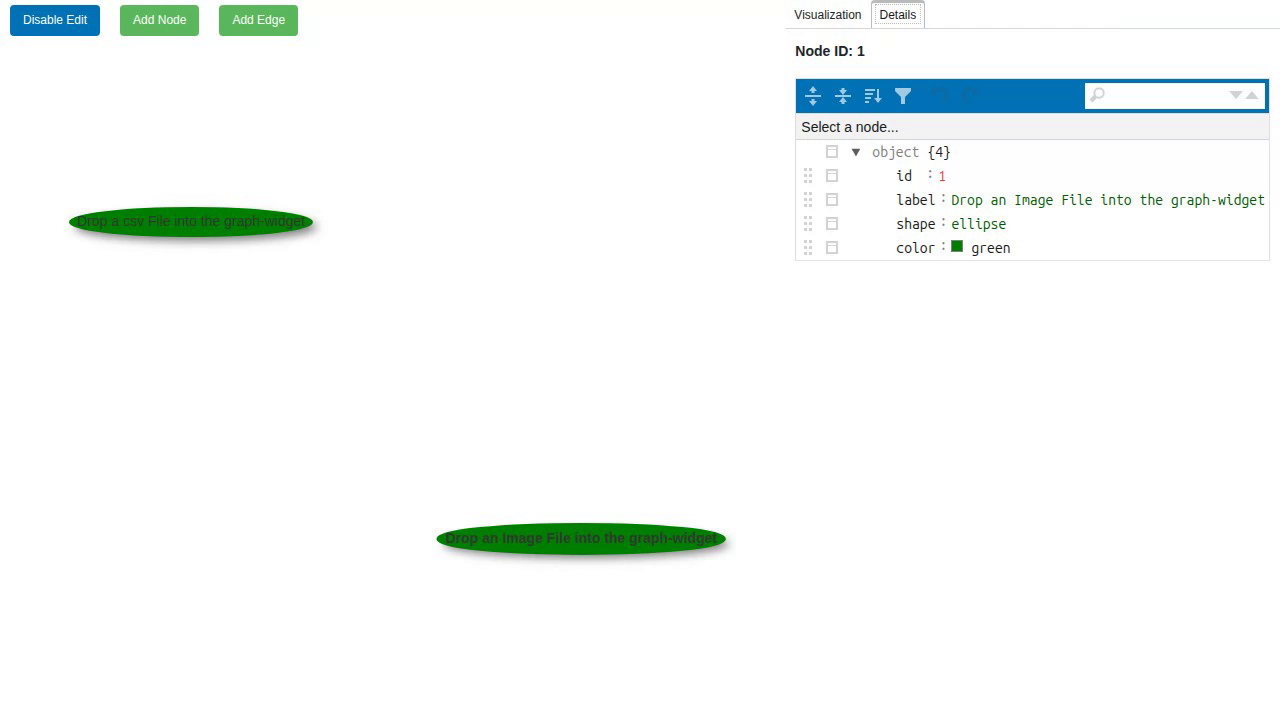
Source: examples/panels/visnetwork/graph_detail_tool_2.py
Test: tests/panels/visnetwork/examples/test_graph_detail_tool_2.py
GraphDetailTool composes a vis-network graph with a JsonEditor detail pane in one ready-made workspace. Select a node to inspect and edit its properties on the right; the graph and the editor stay in sync.
This variant seeds two prompt nodes that invite you to drop a file onto the canvas. Dropping an image or a CSV spawns a new node from the file, so you can grow the graph directly from local data.
The code
import panel as pn

from panelini.panels.visnetwork import GraphDetailTool

pn.extension()

nodes = [
    {
        "id": 1,
        "label": "Drop an Image File into the graph-widget",
        "shape": "ellipse",
        "color": "green",
    },
    {
        "id": 2,
        "label": "Drop a csv File into the graph-widget",
        "shape": "ellipse",
        "color": "green",
    },
]

edges = []

graph_detail_panel = GraphDetailTool(nodes=nodes, edges=edges)
pn.serve(graph_detail_panel, threaded=True)
Run it live
This example runs entirely in your browser via Pyodide. The first load downloads packages, so give it a few seconds.