JsonEditor
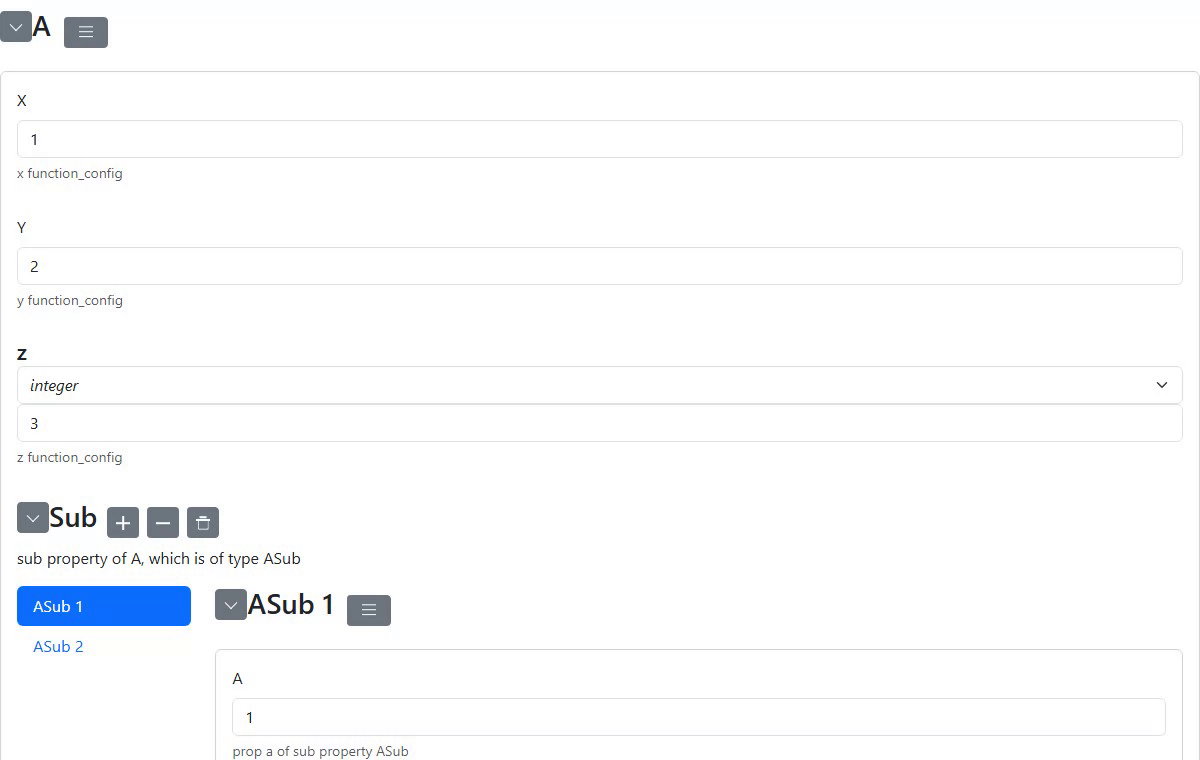
The JsonEditor panel provides a JSON Schema-based form editor, wrapping the json-editor JavaScript library.
Overview
JsonEditor renders interactive forms from JSON Schema definitions. It supports dynamic schema updates, custom themes, and bi-directional value synchronization with Python.
Usage
from panelini.panels.jsoneditor import JsonEditor

schema = {
    "type": "object",
    "properties": {
        "name": {"type": "string", "title": "Name"},
        "age": {"type": "integer", "title": "Age", "minimum": 0},
        "email": {"type": "string", "format": "email", "title": "Email"},
    },
    "required": ["name", "email"],
}

editor = JsonEditor(
    options={
        "schema": schema,
        "theme": "bootstrap5",
        "iconlib": "spectre",
    }
)

# Get the current form value
data = editor.get_value()

# Set form data programmatically
editor.set_value({"name": "Alice", "age": 30, "email": "alice@example.com"})
Dynamic Schema Updates
Schemas can be changed at runtime:
new_schema = {
    "type": "object",
    "properties": {
        "title": {"type": "string"},
        "description": {"type": "string", "format": "textarea"},
    },
}

# Replace schema, optionally keeping current values
editor.set_schema(new_schema, keep_value=False)

# Replace schema with initial values
editor.set_schema(new_schema, startval={"title": "Hello"})
Configuration Options
The options parameter accepts any valid json-editor configuration:
editor = JsonEditor(
    options={
        "schema": schema,
        "theme": "bootstrap5",        # UI theme
        "iconlib": "spectre",          # Icon library
        "disable_collapse": True,      # Prevent section collapsing
        "disable_edit_json": True,     # Hide raw JSON edit button
        "disable_properties": True,    # Hide properties button
    }
)
Initial Value
Pass value as a keyword argument to pre-populate the form. The value is preserved when the panel is served - the JavaScript editor is initialised with it as startval, so the first change event reflects the supplied data instead of schema defaults.
editor = JsonEditor(
    options={"schema": schema},
    value={"name": "Alice", "age": 30, "email": "alice@example.com"},
)
Pydantic Integration
JsonEditor can be subclassed to accept Pydantic model instances directly. The example in examples/panels/jsoneditor/jsoneditor_pydantic.py shows a PydanticEditor that:
derives the JSON Schema automatically from the Pydantic model via
model_json_schema()accepts either a Pydantic instance or a plain dict as
valueoptionally renders arrays as tabs (
format_array_tabs=True) and objects as category panels (format_dict_categories=True)
from pydantic import BaseModel, Field
from panelini.panels.jsoneditor import JsonEditor

class MyModel(BaseModel):
    name: str = Field(..., description="Full name")
    score: int = Field(0, description="Score")

instance = MyModel(name="Alice", score=42)

editor = PydanticEditor(MyModel, value=instance, format_array_tabs=True)
See Pydantic-backed JSON editor for the full walkthrough.
API Reference
See the full API documentation: panelini.panels.jsoneditor.jsoneditor.JsonEditor